Get easy access to the dashboard
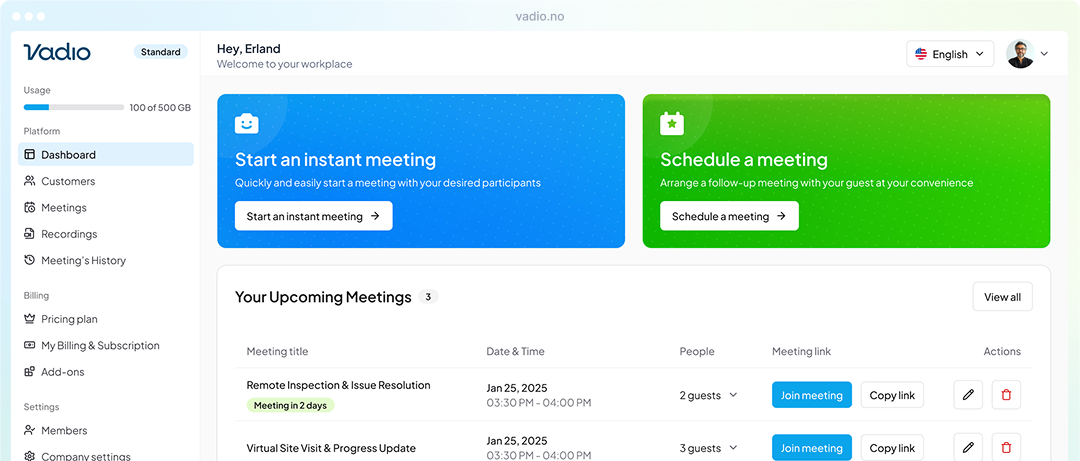
At the heart of Vadio is our intuitive dashboard, designed to give you full control over your video interactions.
Whether you're managing multiple projects, assisting clients, or conducting inspections, your dashboard is your command center for efficiency and clarity.
Whether you're managing multiple projects, assisting clients, or conducting inspections, your dashboard is your command center for efficiency and clarity.
Try Vadio for free
Main features of Vadio
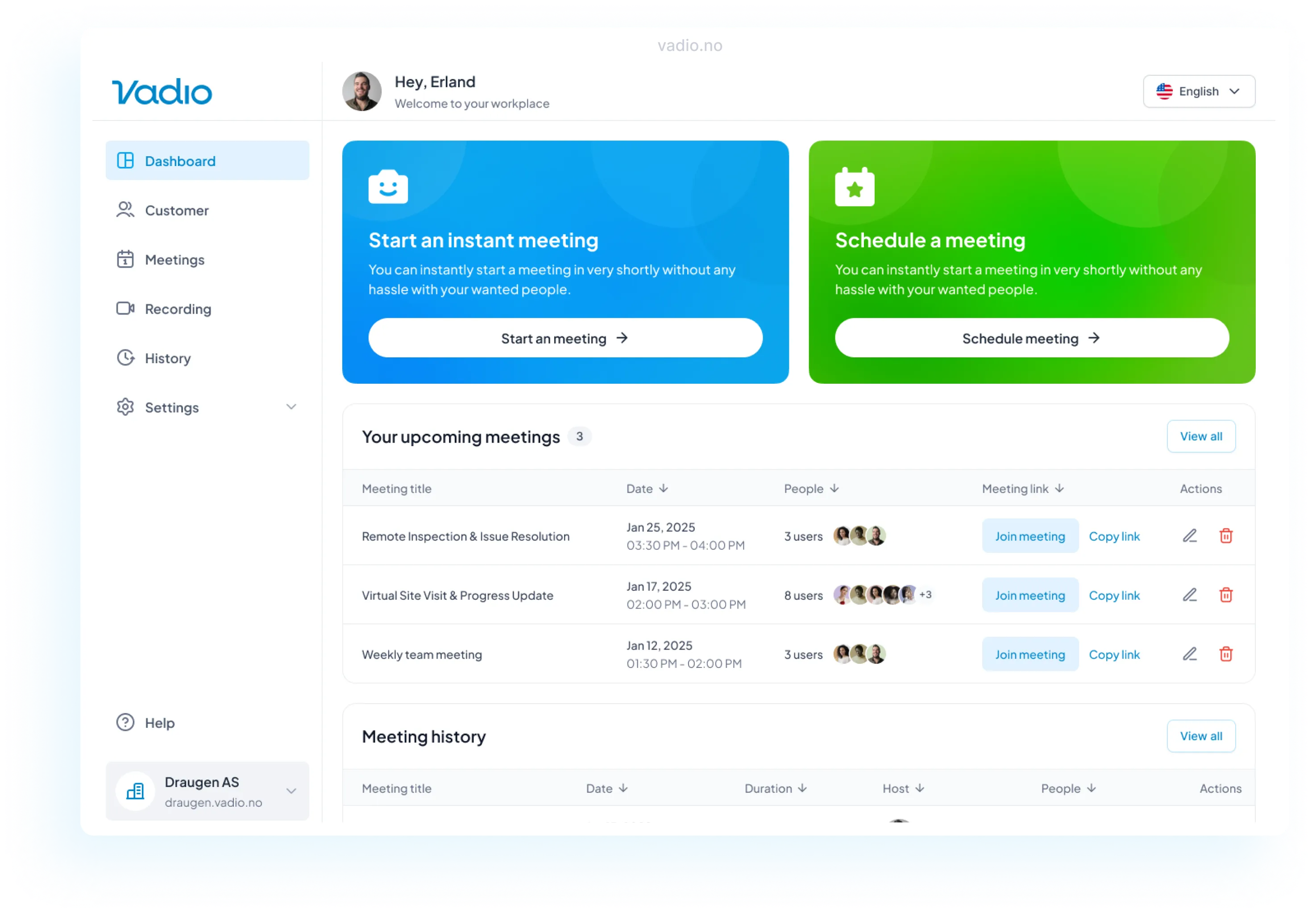
Let's summarize the most important features of Vadio, so you get a quick overview:
Start an instant meeting
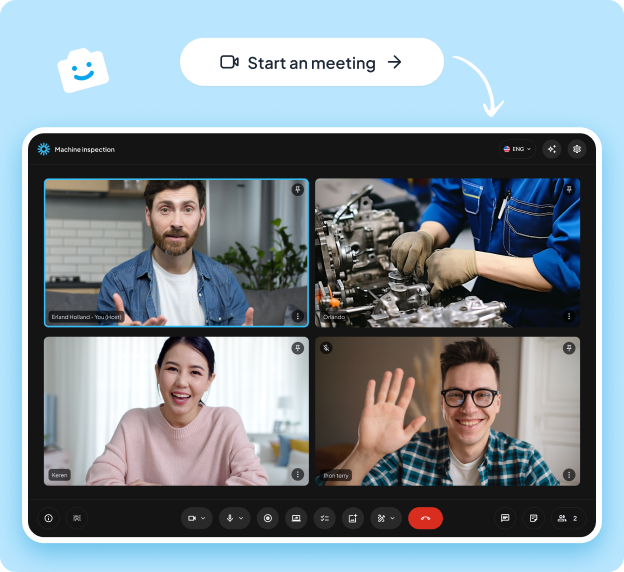
Kickstart a video call with just one click!
Whether you're troubleshooting an issue, collaborating on a project, or supporting a customer, the instant meeting feature ensures you can connect immediately—no waiting, no hassle.
Example use case: A field technician needs to show a supervisor a damaged piece of equipment. Instead of describing the problem over the phone, they can start an instant meeting on Vadio and share a live view of the problem.
Whether you're troubleshooting an issue, collaborating on a project, or supporting a customer, the instant meeting feature ensures you can connect immediately—no waiting, no hassle.
Example use case: A field technician needs to show a supervisor a damaged piece of equipment. Instead of describing the problem over the phone, they can start an instant meeting on Vadio and share a live view of the problem.

Lorem ipsum
Lorem ipsum
Lorem ipsum
Lorem ipsum
Key features:
Start quickly
Screenshots
Draw
Comment
Take notes
Inviting
Schedule a meeting
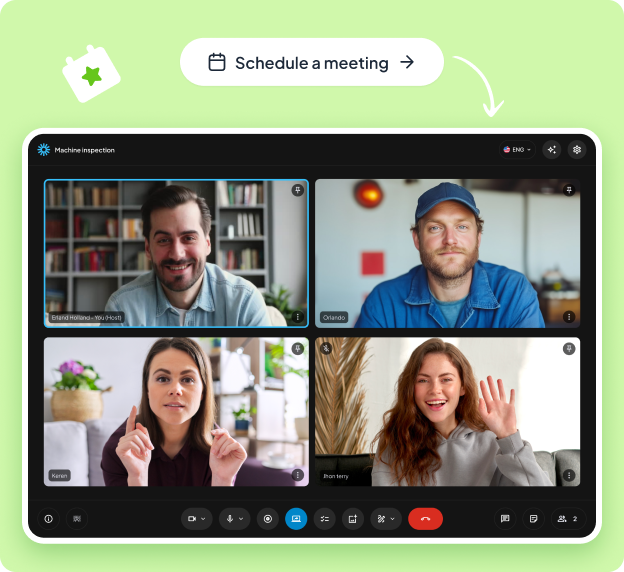
Plan ahead with ease!
Schedule your meetings at a time that works for everyone. With built-in reminders and easy calendar syncing, you'll never miss an important conversation again.
Example use case: A project manager schedules a recurring weekly meeting with his team to discuss progress and deadlines. Everyone receives an invitation and reminder, ensuring consistent communication.
Schedule your meetings at a time that works for everyone. With built-in reminders and easy calendar syncing, you'll never miss an important conversation again.
Example use case: A project manager schedules a recurring weekly meeting with his team to discuss progress and deadlines. Everyone receives an invitation and reminder, ensuring consistent communication.
Key features:
Plan ahead
Invite one or Invite one or more
Search for customers
Add customers
Calendar/list view
Google/Outlook integration
Record and save
Never miss a detail! Record your meetings or video inspections and store them safely in the cloud. Review key moments, share recordings with team members, or maintain a journal for compliance or training purposes.
Example use case: An architect records a virtual walkthrough of a construction site for a client who was unable to attend in person. The client can review the walkthrough at their convenience.
Example use case: An architect records a virtual walkthrough of a construction site for a client who was unable to attend in person. The client can review the walkthrough at their convenience.
Lorem ipsum
Lorem ipsum
Lorem ipsum
Lorem ipsum
Key features:
Video documentation
Review
Share recording
Delete
Secure history
Download
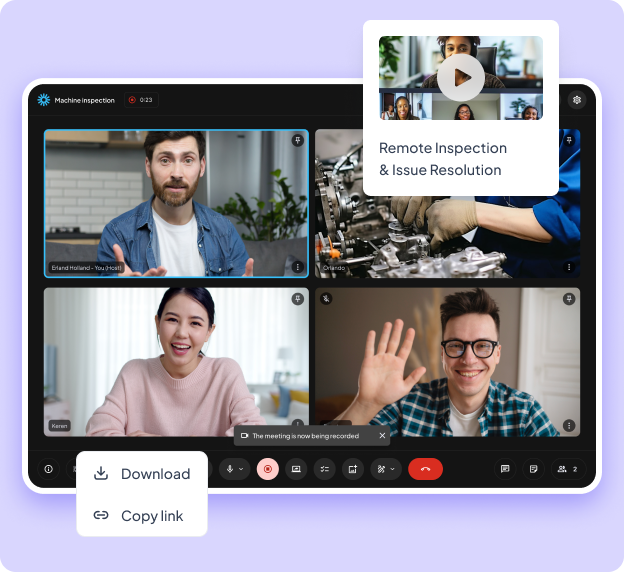
Share screen and files
Simplify collaboration by sharing your screen or important files in real time. From presentations to troubleshooting guides, everything you need is right at your fingertips.
Example use case: An IT support agent shares their screen to guide a customer through setting up new software, while also sharing a PDF with step-by-step instructions.
Example use case: An IT support agent shares their screen to guide a customer through setting up new software, while also sharing a PDF with step-by-step instructions.
Lorem ipsum
Lorem ipsum
Lorem ipsum
Lorem ipsum
Key features:
Real-time Real-time sharing
Downloadable
Guide participants
Troubleshooting
Secure documentation
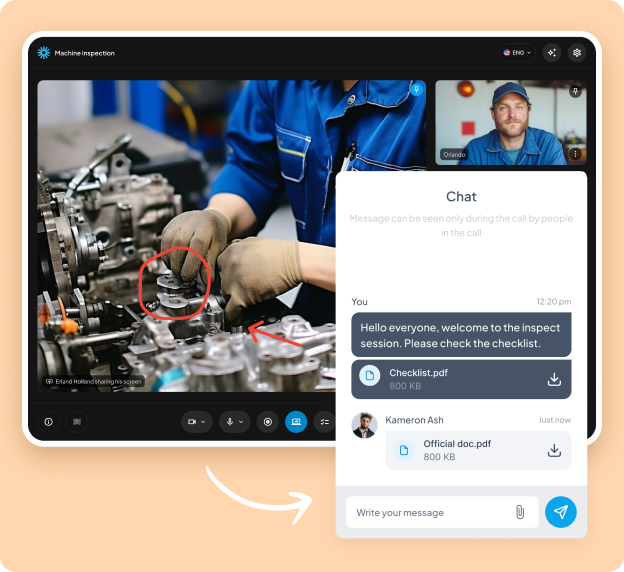
AI summary
Optimize meeting results with Vadio's AI-powered summary.
Generate automatic summaries of discussions and suggest action points. Focus on strategic decisions while AI handles detailed note-taking.
Generate automatic summaries of discussions and suggest action points. Focus on strategic decisions while AI handles detailed note-taking.
Lorem ipsum
Lorem ipsum
Lorem ipsum
Lorem ipsum
📋 Automatic summaries
✏️ Editable and customizable
📤 Distribute insights easily
Key features:
Drop note-taking
Bullet points
Full print
Action points
Review and edit
Share summary
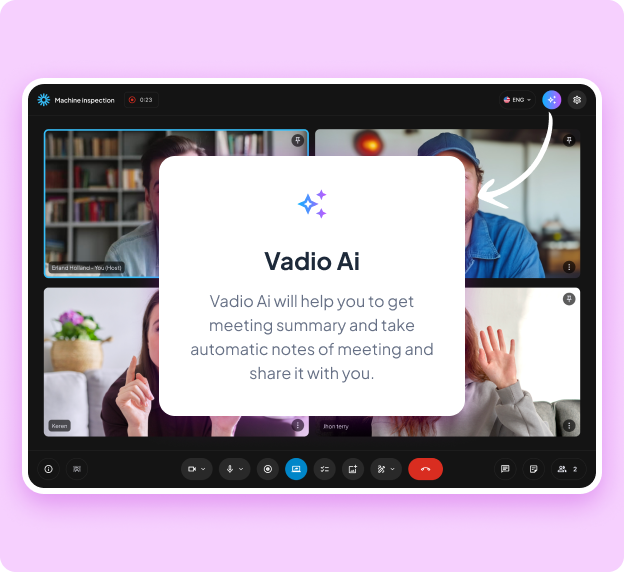
Point and draw on the screen
Improve communication with visual clarity. Use our drawing tool to annotate, highlight, or explain concepts in real time. Whether you're brainstorming or solving problems, visual aids make collaboration easier.
Example of use: An electrician circles around a component during a video inspection and takes a picture, so that a colleague can perform the job with all the details available.
Example of use: An electrician circles around a component during a video inspection and takes a picture, so that a colleague can perform the job with all the details available.
Lorem ipsum
Lorem ipsum
Lorem ipsum
Lorem ipsum
Key features:
Pointer
Change size
Draw
Change colors
Change size
Undo drawings
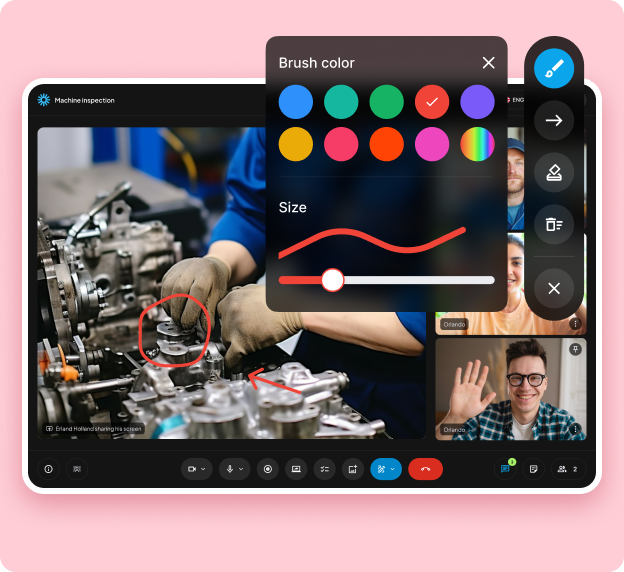
Checklists
Stay organized and on track! Create and use checklists during your calls, share them with your colleagues, and quality-assert all video calls with your customers.
Example of use: A team leader uses a checklist during an inspection to ensure that all details are covered and that everyone is following the same template for the inspection.
Example of use: A team leader uses a checklist during an inspection to ensure that all details are covered and that everyone is following the same template for the inspection.
Lorem ipsum
Lorem ipsum
Lorem ipsum
Lorem ipsum
Key features:
Easy follow-up
Adjustable moldings
Quality check
Painter
Covers details
Customer-friendly

CO2 calculations
(COMING Q3 2025)
Make an impact on sustainability! Calculate the CO2 emissions saved by using Vadio instead of traveling to in-person meetings. Track your contribution to a greener planet while saving time and money.
Example of use: A real estate company uses Vadio for virtual property inspections, saving hours of travel and significantly reducing their environmental footprint.
Make an impact on sustainability! Calculate the CO2 emissions saved by using Vadio instead of traveling to in-person meetings. Track your contribution to a greener planet while saving time and money.
Example of use: A real estate company uses Vadio for virtual property inspections, saving hours of travel and significantly reducing their environmental footprint.
Lorem ipsum
Lorem ipsum
Lorem ipsum
Lorem ipsum
Key features:
Calculate CO2 emissions
Car, train and plane calculations
Export
Use for tenders
Simple overview
Add address manually
.png)
Other features
In addition to our main features, you can also mirror the view and attach either your camera as a host or participant camera.
Lorem ipsum
Lorem ipsum
Lorem ipsum
Lorem ipsum
🪞 Mirror view
📌 Pin
Key features:
Show text
Screenshots
Focus during the meetings
Correct vision
Show or hide the host
Show or hide participants

.png)
Trusted by global companies








"I find that Vadio makes it easy to bring customers to first-time meetings via SMS notification, while the note function gives me a full overview - that's why I'm very satisfied and will continue to use the solution"

Gjermund T. Kittilsen
Sales Manager and Partner
"Our customers find Vadio easy to use and provides faster follow-up, while we get more professional customer service and far more efficient internal support across locations"

Bård Stian Rui
System Administrator

"We experience Vadio as a reliable partner with quality, good follow-up and solutions that simplify everyday life, increase efficiency and which we are happy to recommend."

Oddbjørn Gustavsen
CEO, Soly Group
Get started now!
Free first 14 days.
Transform how your business communicates and solves problems using video - save time, money and the environment!